> For the complete documentation index, see [llms.txt](https://docs.clearout.io/llms.txt). Markdown versions of documentation pages are available by appending `.md` to page URLs; this page is available as [Markdown](https://docs.clearout.io/integrations/automation/zapier.md).
# Zapier
Integrate Clearout with Zapier to automate email verification and email finding
Use **Zapier + Clearout** to verify and find emails automatically in the tools you already use, without writing code.
You can connect Clearout to 1,500+ apps so every new lead, signup, or contact is checked or enriched as it flows through your Zaps.
## How to Verify/Find emails in 5 steps
{% embed url="" %}
{% stepper %}
{% step %}
### Connect with Zapier
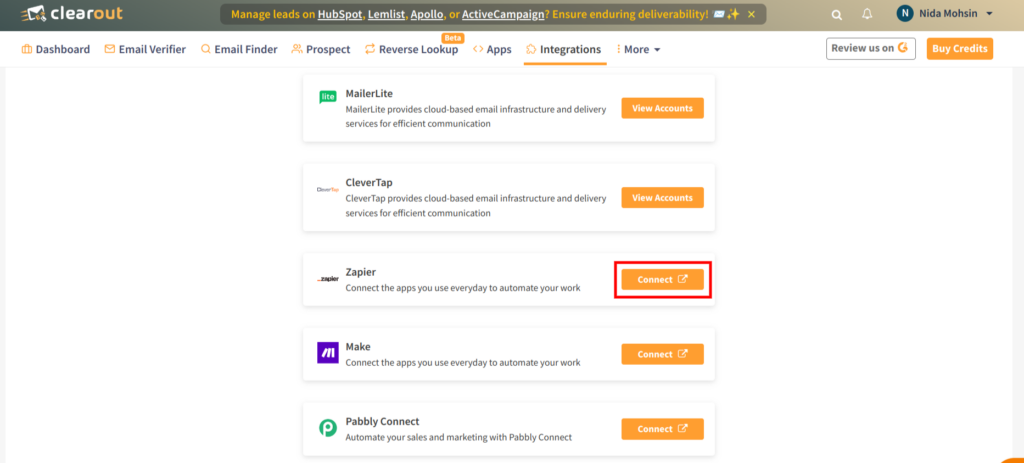
To integrate Clearout via Zapier, you’ll need a Zapier account. If you don’t have one yet, [create a Zapier account.](https://zapier.com/app/login)
{% endstep %}
{% step %}
### Create a new Zap
* **Log in** to your Zapier account.
* Click **Make a Zap!** to create a new Zap.
* Give your Zap a clear name *(for example, **Validate new leads with Clearout**)*
{% endstep %}
{% step %}
### Set up a Trigger
Every Zap starts with a **trigger** that fires when something happens in another app. Example:
* Choose **Google Sheets** as the trigger app.
* Select a trigger event, such as **New Spreadsheet Row**.
* Pick the spreadsheet and worksheet that contain the email addresses you want to process, then click **Continue**.
You can use any other trigger app (forms, CRM, Ads, etc.) the same way.
{% endstep %}
{% step %}
### Select an Action
After the trigger, add Clearout as the **Action**:
* Click **+** to add an action.
* Search for **Clearout** and select it.
* Choose one of the available actions:
**Key actions**
* **Verify Email Address**\
Validate an email address to assess its deliverability and quality. \
\
Clearout checks if it is valid, invalid, catch‑all, disposable, or risky so you can prevent bounces and protect sender reputation before outreach.
* **Find Email**\
**Discover** a professional, **pre‑verified email address** using a person’s name and company domain, with an AI‑driven **confidence score** that indicates the likelihood of the email being valid. \
\
This feature is particularly useful for lead enrichment, prospecting, and outbound workflows.
{% hint style="info" %}
**Important note**
Use Clearout Zap version ≥ 2.2.0 to avoid Zapier’s 30‑second action timeout. If you stay on an older version, longer‑running tasks may need Zapier’s webhook‑based callbacks. Otherwise, actions that run over 30 seconds may fail with “The app did not respond in‑time.”
{% endhint %}
{% endstep %}
{% step %}
### Connect your Clearout Account
* In the Clearout action step, click **Connect a new account**.
* When prompted, paste your **Clearout API Token**.
How to generate your Clearout API key:
* **Log in** to the Clearout Dashboard.
* Go to [**Developer → API**](https://app.clearout.io/developer/api/list).
* Click **Generate API Token**, give it a name, and copy the token.
* **Paste** this token into Zapier and save the connection.
Once connected, map the email fields from your trigger app into the Clearout action, test the Zap, and turn it on. From then on, Clearout will **automatically verify or find emails every time your Zap runs**.
{% endstep %}
{% endstepper %}
---
# Agent Instructions
This documentation is published with GitBook. GitBook is the documentation platform designed so that both humans and AI agents can read, navigate, and reason over technical content effectively. Learn more at gitbook.com.
## Querying This Documentation
If you need additional information that is not directly available in this page, you can query the documentation by asking a question.
Perform an HTTP GET request on the following URL with the `ask` and `goal` query parameters:
```
GET https://docs.clearout.io/integrations/automation/zapier.md?ask=&goal=
```
`ask` is the immediate question: it should be specific, self-contained, and written in natural language.
`goal` is what the user is ultimately trying to achieve, the reason they need the answer. Sharing it helps GitBook give you a better, more relevant answer. A goal is most helpful when it describes the outcome the user wants rather than restating the question. For example, with `ask=how do I create an API token`, a goal like `automate deployments from our CI pipeline` lets GitBook tailor the answer to that use case.
The response will contain a direct answer to the question and relevant excerpts and sources from the documentation.
Use this mechanism when the answer is not explicitly present in the current page, you need clarification or additional context, or you want to retrieve related documentation sections.