> For the complete documentation index, see [llms.txt](https://docs.clearout.io/llms.txt). Markdown versions of documentation pages are available by appending `.md` to page URLs; this page is available as [Markdown](https://docs.clearout.io/platform-features/my-account.md).
# My Account
Manage account settings, credits & profile
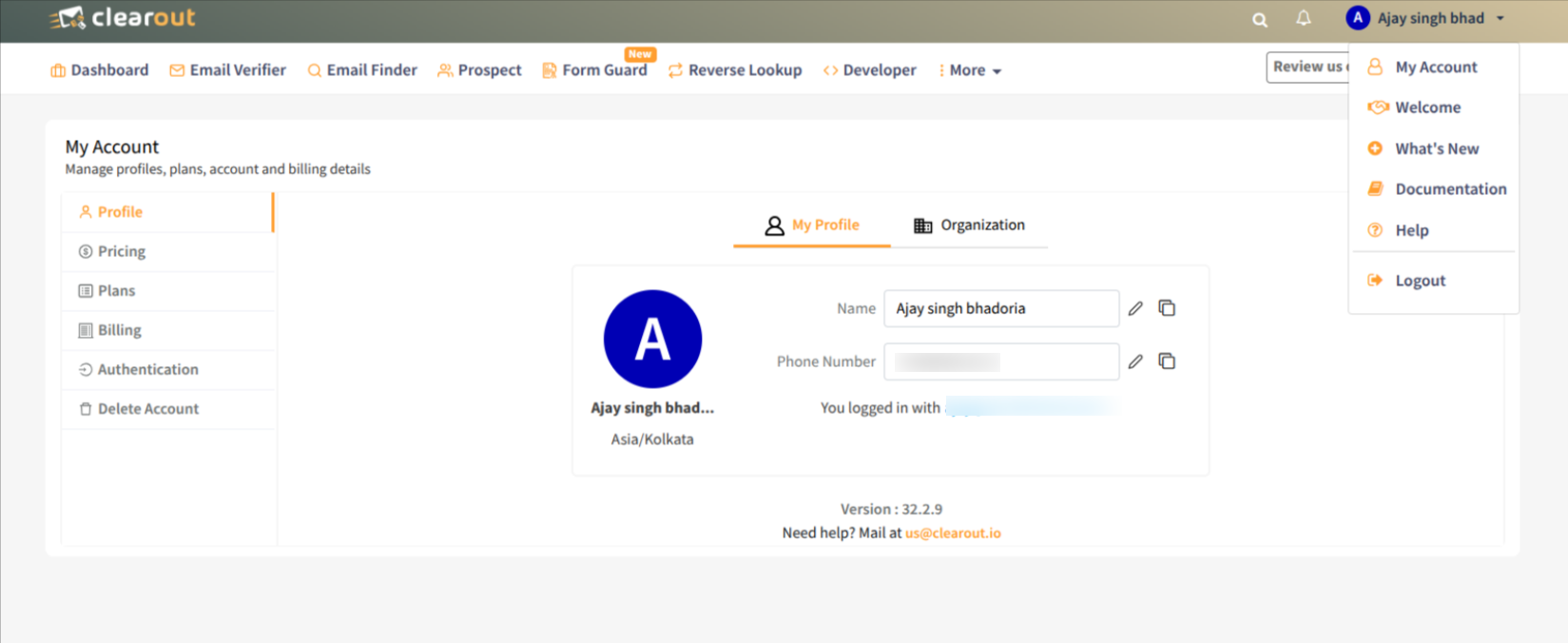
The **My Account** area is where you manage your **personal details, subscription, billing, security, and account lifecycle** for your Clearout workspace.
### Profile
Use the [**My Account → Profile**](https://app.clearout.io/account/profile) section to keep your personal and company information accurate. You can update your name, primary email address, and company details so notifications and invoices always show the correct information
### Pricing
From [**My Account → Pricing**,](https://app.clearout.io/pricing) you can see the available pricing options for Clearout products (Email Verifier, Email Finder, Form Guard, Prospecting, etc.) and compare monthly vs. pay‑as‑you‑go choices before upgrading or changing plans.
### Plans
In the [**My Account → Plans**](https://app.clearout.io/account/manage-plans) section, you can view your current plan, usage limits, and remaining credits, and switch between plans when your usage increases. You can also enable or disable features (if supported) and check your subscription renewal date here.
### Billing
The [**My Account → Billing**](https://app.clearout.io/account/billing) section lets you manage everything related to payments and invoices. You can update billing details and payment methods, set up auto‑recharge for credits, and **download past invoices or receipts** for your records or finance team
### Authentication
Under [**My Account → Authentication**](https://app.clearout.io/account/authentication) section lets you manage how you log in to Clearout and secure your account. You can change your password and, if available for your plan, configure SSO by adding your identity provider details (for example, Okta) and verifying the connection
### Delete account
If you no longer need Clearout, the [**My Account → Delete account**](https://app.clearout.io/account/delete) option allows you to permanently close your account and remove associated data in line with our data‑retention policies. **Make sure you’ve downloaded any required invoices or reports** before requesting deletion, as access will be lost once the account is closed.
---
# Agent Instructions
This documentation is published with GitBook. GitBook is the documentation platform designed so that both humans and AI agents can read, navigate, and reason over technical content effectively. Learn more at gitbook.com.
## Querying This Documentation
If you need additional information that is not directly available in this page, you can query the documentation by asking a question.
Perform an HTTP GET request on the following URL with the `ask` and `goal` query parameters:
```
GET https://docs.clearout.io/platform-features/my-account.md?ask=&goal=
```
`ask` is the immediate question: it should be specific, self-contained, and written in natural language.
`goal` is what the user is ultimately trying to achieve, the reason they need the answer. Sharing it helps GitBook give you a better, more relevant answer. A goal is most helpful when it describes the outcome the user wants rather than restating the question. For example, with `ask=how do I create an API token`, a goal like `automate deployments from our CI pipeline` lets GitBook tailor the answer to that use case.
The response will contain a direct answer to the question and relevant excerpts and sources from the documentation.
Use this mechanism when the answer is not explicitly present in the current page, you need clarification or additional context, or you want to retrieve related documentation sections.